 Aizaz
Aizaz

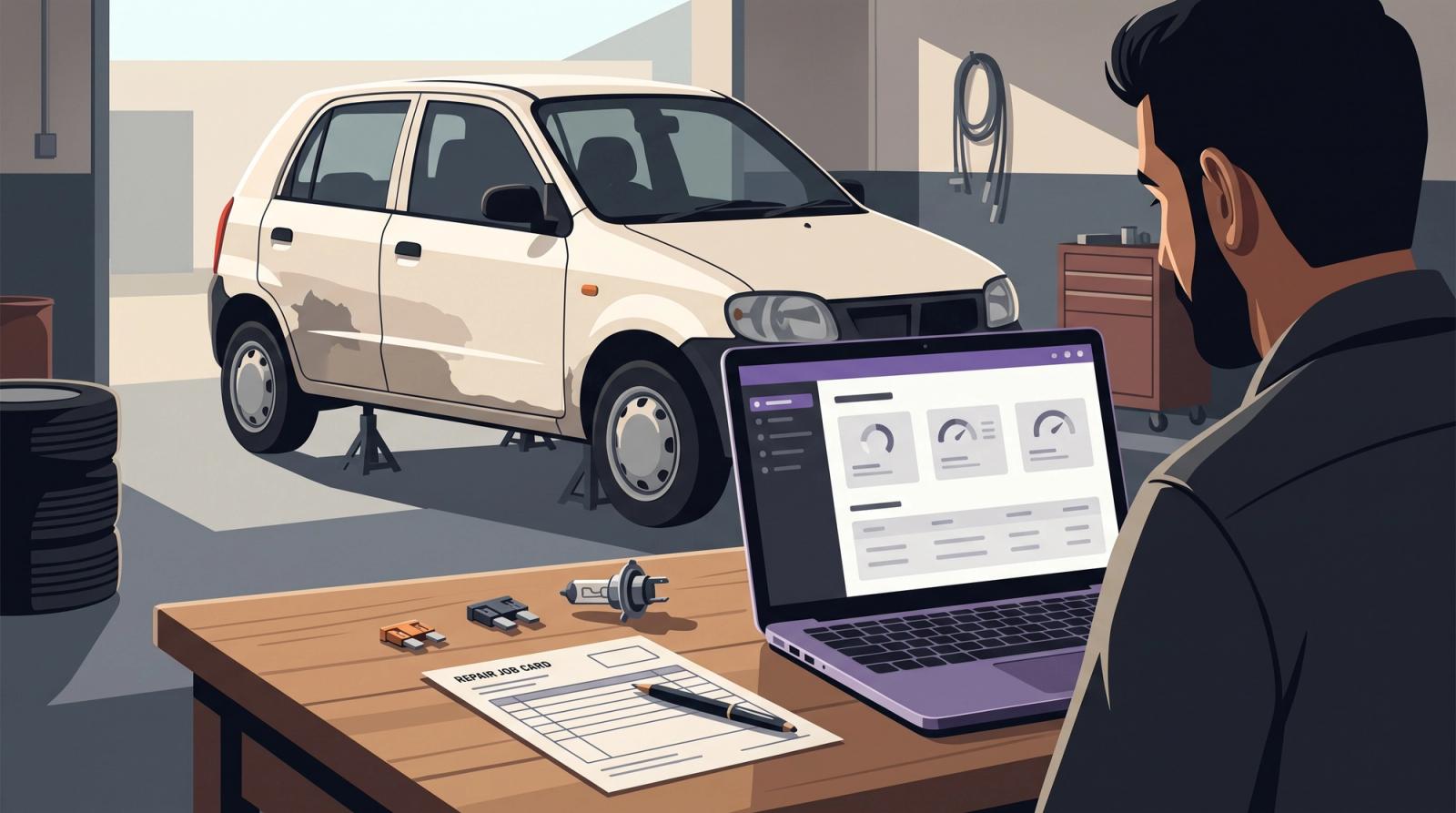
I went to get my car repaired. I didn’t expect to end up discussing an ERP.
Gemini had recommended a workshop near my home in Pakistan. When I visited, I discovered something that caught my attention: the owner, who wasn’t a software developer, was using Claude to build a system for his business.
Naturally, I wanted to know more.
He had made a simple HTML prototype and believed it was the ERP he needed to manage his workshop. As someone helping run a software studio, I was curious about what he wanted it to handle and what had led him to start building it himself.
Initially, he described invoices and profit-and-loss reporting. His existing spreadsheets and documents weren’t helping him keep track of things. But the more we talked, the more specific the problem became.
A car would move through denting, painting and electrical work. Somewhere along the way, a bulb or fuse needed replacing. He would pay for it, sometimes without charging the customer, and later struggle to trace that expense to the right car.
That small detail explained why the numbers mattered to him.
The workshop needed to know what each repair actually cost
The owner wanted a complete workshop management system. His list included customer and vehicle records, scheduling, inventory, invoices, staff permissions, reminders and reporting.
Those requirements mattered. Following a car through the workshop helped explain what some of those features needed to accomplish.
He mentioned working on many similar vehicles, particularly Altos, including accident-damaged insured cars. Remembering that a part went into “the white Alto” would offer little clarity when several similar cars were being repaired.
Each expense needed to belong to a specific repair.
Which car was this for? Who recorded it? Was the customer charged, or did the workshop absorb it?
An invoice alone wouldn’t answer all those questions. It shows what the customer was billed, while the workshop also needs a record of what it spent.
A cost still affects the repair’s margin even when it never appears on the customer’s invoice.
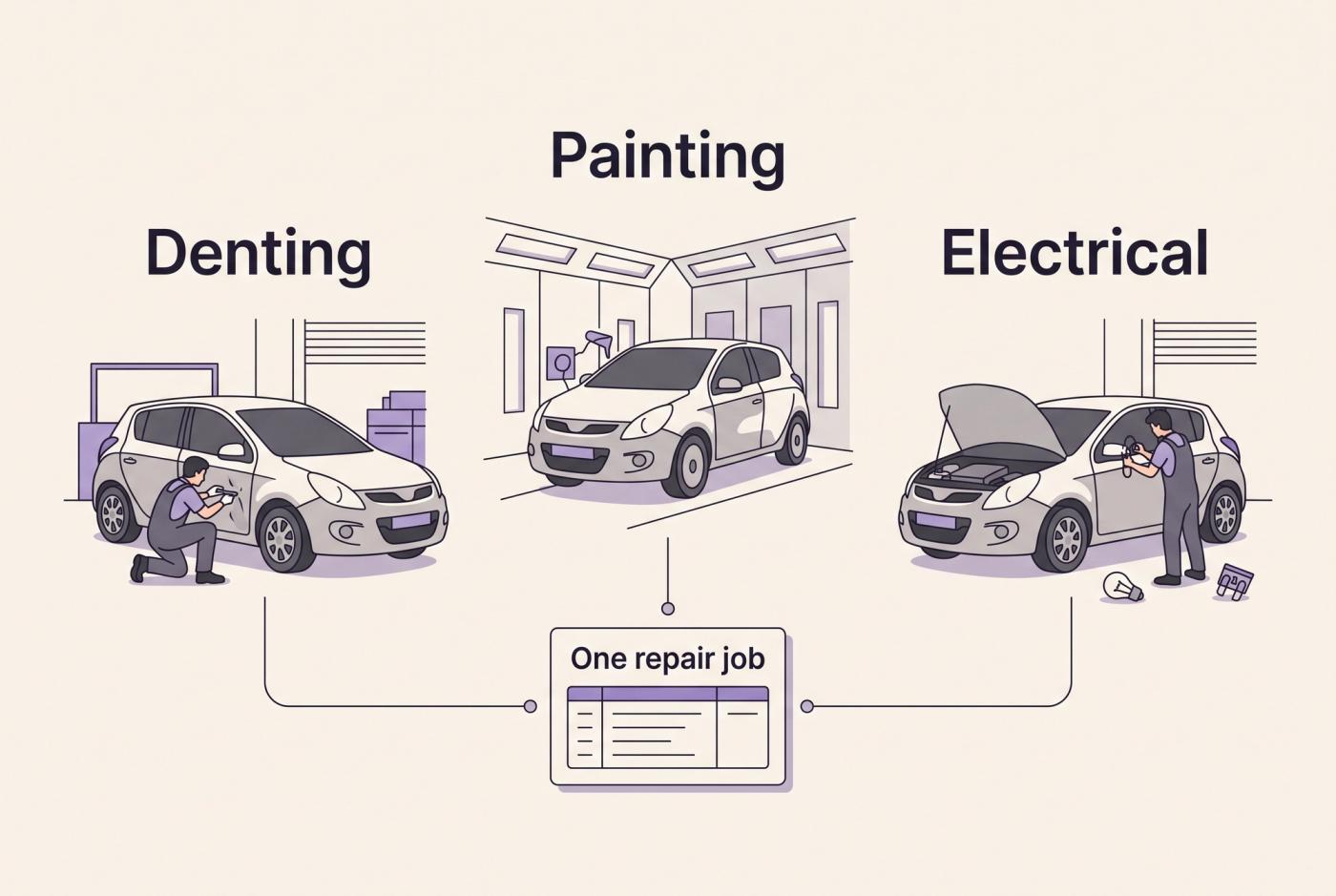
How to track profit per repair job
To track profit per repair job, create a unique repair order and attach its parts, direct labor, outsourced work and additional expenses. Compare those direct costs with the job’s revenue to calculate its margin before overhead. Keep payments visible separately so you can see what remains unpaid.
The same vehicle should receive a new repair order for each visit, with those visits connected through its service history.
For this workshop, I would start with a record containing:
- Job details: repair number, vehicle reference and customer.
- Work progress: approved work, current department and responsible staff.
- Direct costs: parts, consumables, labour and outsourced work.
- Extra expenses: including items absorbed by the workshop.
- Billing and collection: invoice amount, payments received and outstanding balance.
This is the basis of auto repair shop job costing. It gives the owner a way to examine individual repairs before looking at wider business performance.
What happens when an expense is missing?
Consider a simplified repair with US$1,000 in revenue.
Its initially recorded direct costs are US$700, leaving US$300 before overhead. Another US$50 in absorbed expenses is then attached to the job.
The revised margin is US$250.
The invoice hasn’t changed. The workshop now has a more complete cost record.
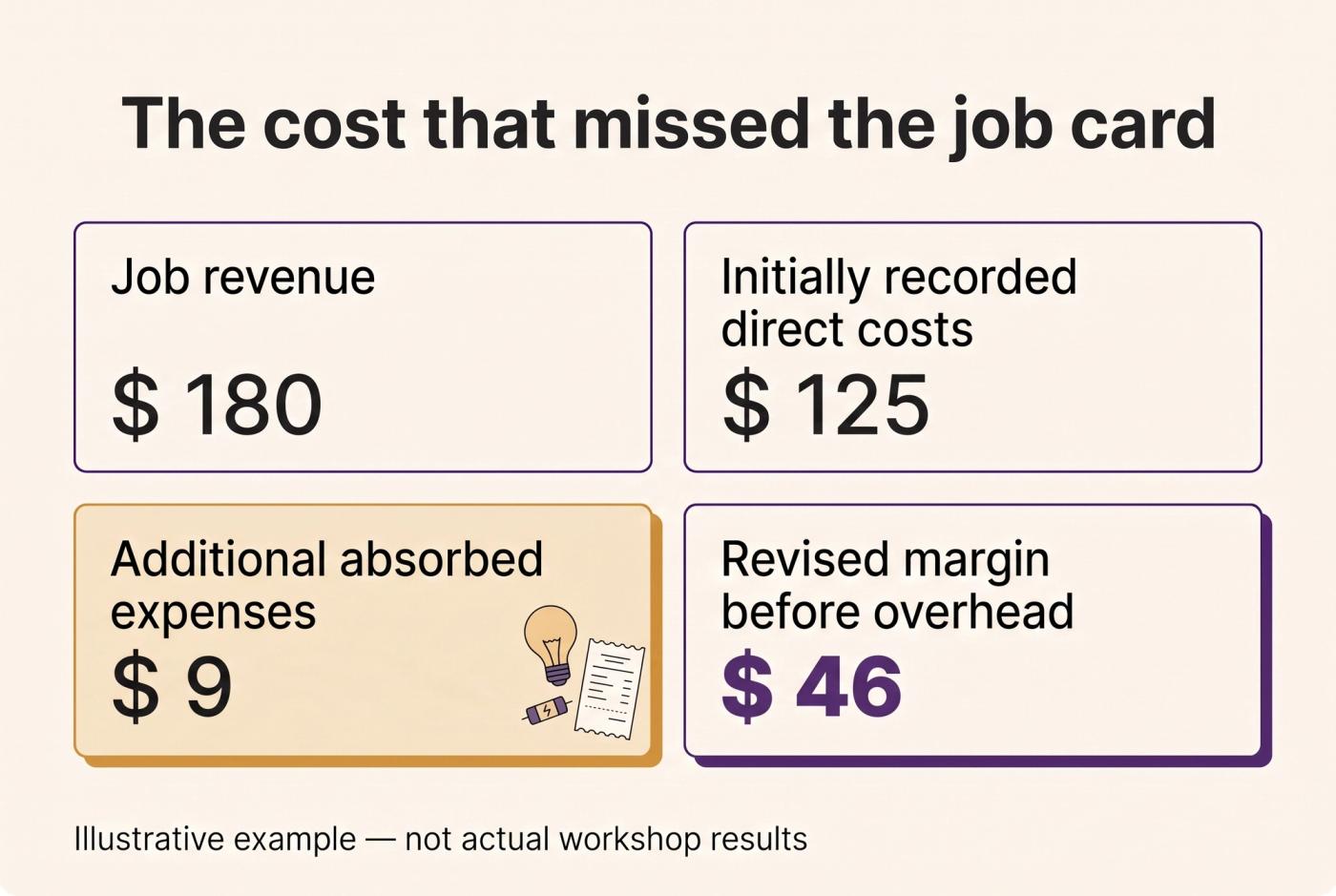
That figure is not the workshop’s overall net profit. Rent, utilities, administration and other business expenses still need to be accounted for. Labour also needs consistent treatment so it isn’t counted twice.
The important part is getting the expense recorded
A new application won’t automatically solve missing records.
Someone still needs to select the right repair, enter the expense and identify whether it will be charged to the customer. That process needs to work when staff are busy.
Before building, I would clarify who records purchases, who assigns parts to jobs and who can correct mistakes. I would also ask how unused or returned parts are handled.
Inventory adds another distinction: buying a part for stock and using it on a repair are separate events. The system needs to connect them without recording the same cost twice.
These details shape the forms, permissions and calculations. They also help explain why a dashboard can look complete while the underlying workflow still needs attention.
What the Claude prototype helped us discuss
The owner had been working through steps on his phone and sharing screenshots. I helped him move the work onto his laptop and introduced an MCP connection as part of that setup.
As we talked, another misunderstanding became clear. He thought Supabase was effectively the application itself: the code and complete workshop system he wanted to build.
I spent some time explaining how the pieces fit together. React could be used to build the screens his staff would interact with. Supabase could provide services such as the database and sign-in system. The workshop application would bring those pieces together with the rules for recording expenses, tracking repairs and creating invoices.
Having those tools available doesn’t mean the workshop’s processes have already been implemented.
His prototype gave us something useful to discuss. We could look at a screen and ask what should happen when someone added a part, moved a car to another department or recorded a payment.
I hadn’t verified the application’s full technical state. The next step would be to check whether those actions saved correctly, updated the right repair job and respected staff permissions.
That made the conversation more concrete: what happens after someone clicks the button, and does it match how the workshop actually works?
The first release needs a clear boundary
The owner wanted the complete system live and hosted within five days.
That needed a scope discussion. For the problem he described, I would propose a first release covering vehicle records, repair orders, department status, job expenses, basic invoicing and payment tracking.
It would let staff follow one repair from intake through billing, with a view of its recorded costs.
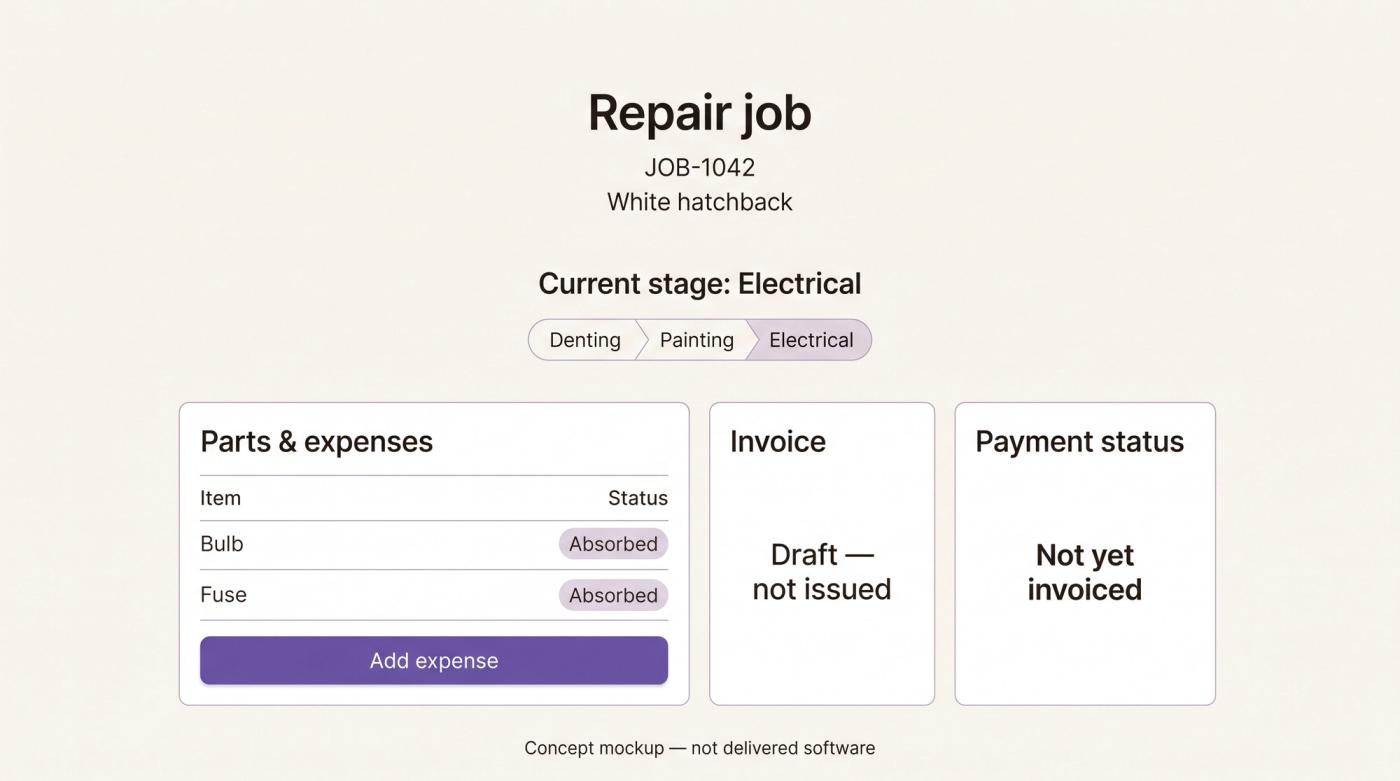
His wider requirements would remain part of the plan. Inventory, scheduling and reminders could follow agreed priorities.
Insurance work needed further clarification too. Did he need claim references, approval records, documents or separate customer and insurer balances? Those were questions to resolve, not features we could confidently specify from the initial conversation.
I would also compare existing workshop software against the same requirements. If an available product fits, configuring it may be a reasonable route. A custom build needs a clear reason. That same question what actually belongs in version one is one of the biggest reasons MVP prices can vary so much.
What I took away from the conversation
This has not yet become a completed implementation. There are no launch results or measured savings to report.
What changed was my understanding of what the owner needed his software to do.
He wanted a complete system. Following one car through the workshop made an essential requirement concrete: preserve the connection between the work, the expenses, the invoice and the payment.
If you are planning something similar, start with one recent repair and trace its records.
Can you account for every part, extra expense and payment against that job?
The missing entries will tell you where to investigate first.